
Install GentleShe step by step.
If this is your first time installing an app directly from a website, this guide walks you through the whole process.
Download GentleShe
Tap the official Download GentleShe button. Wait for the APK file to finish downloading.
Open the downloaded APK
Open the file from your notification panel or your phone’s Downloads/Files folder.
Allow installation if Android asks
Your phone may say your browser or file manager is not allowed to install unknown apps. Open Settings, choose the app you downloaded from, and enable “Allow from this source”. Return to the APK when finished.
Let Google Play Protect check the app
Google Play Protect may scan the APK. This is a normal Android security feature. Follow the result shown on your own phone. Do not bypass a genuine malware warning.
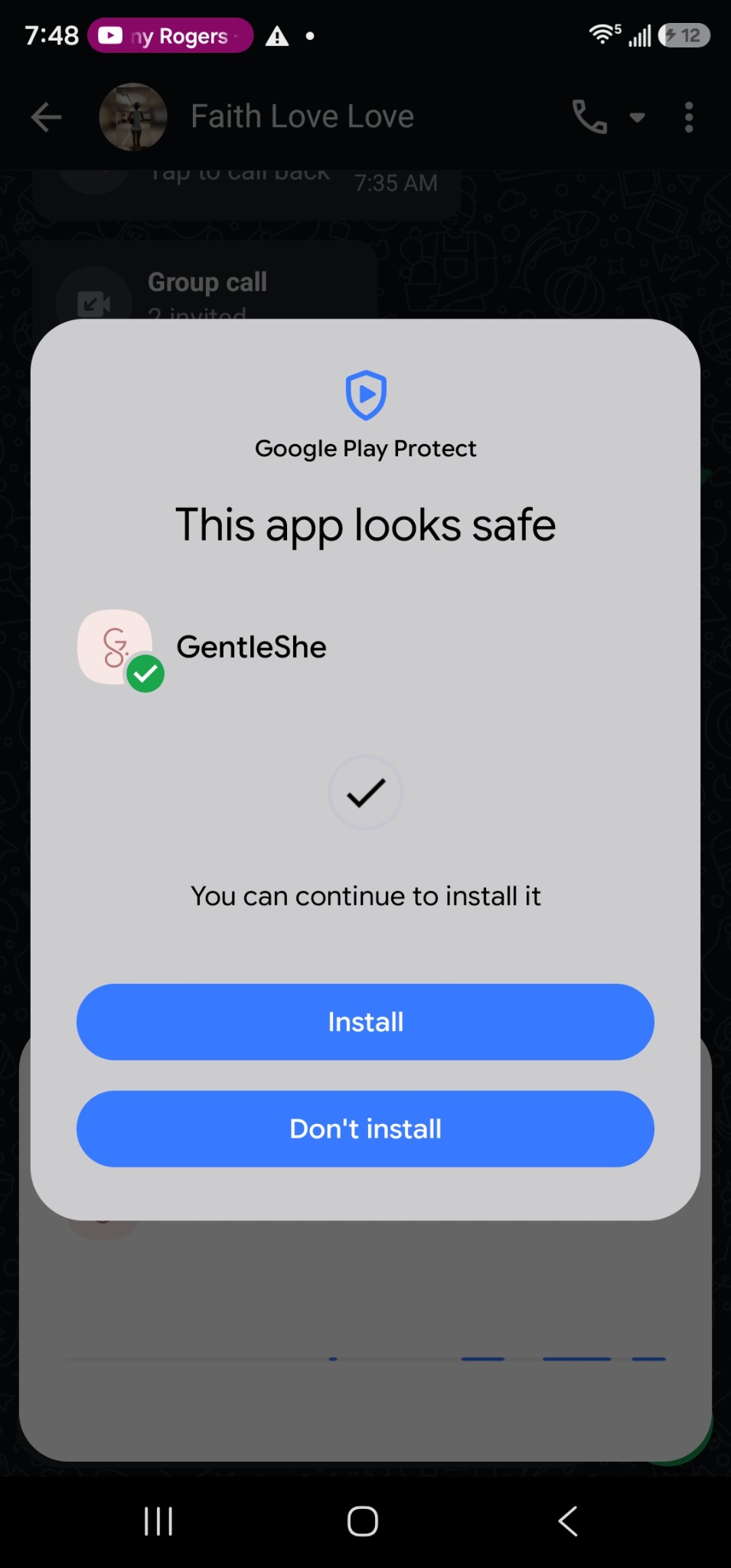
Tap Install, then Open
Once Android allows the installation, tap Install. When it finishes, tap Open to launch GentleShe.
Create your account and verify your email
Sign up inside GentleShe. Open the verification email and tap the confirmation link. The link should return you to GentleShe’s login screen, where you can sign in.
If something doesn’t work
The APK will not download
Check your internet connection, try Chrome or another modern browser, make sure you have enough storage, then try again.
Tapping the APK does nothing
Open your Files or Downloads app manually, find the GentleShe APK and tap it again.
Installation is blocked
Open Settings and search for “Install unknown apps”. Allow installation for the browser or file manager you used, then return to the APK.
Android says “App not installed”
Delete the downloaded APK and download the newest official version again. Check storage, restart the phone, and check whether a differently signed older build is installed.
Verification email has not arrived
Wait a few minutes, check Spam/Junk/Promotions, confirm the email address was typed correctly and request another verification email if the app offers that option.
Email is verified but login fails
Use the same email you registered with, check your password, or use Forgot Password. If the problem continues, contact support.
Still stuck?
Send us a screenshot of what you are seeing and tell us your phone model and Android version.
Get GentleShe support